Self-hosted analytics
self-hosted-analyticsCookieless Umami on your own server, with each Creem purchase reported once from the webhook into the buyer's session, so a pricing-to-purchase funnel shows real conversion and revenue.
Full description
Sets up self-hosted, cookieless Umami analytics next to a Next.js app and reports Creem revenue into it from the server. Docker Compose services for Umami 3.4.1 and Postgres with memory limits and a Caddy vhost, an ad-blocker-friendly tracker and collector path, a secret generator, verified backups, and first-run setup that replaces the default admin password. Adds a tracker component, a checkout_start click event and a purchase event per Creem transaction from the webhook, sent exactly once and joined to the buyer's browser session, so a pricing -> checkout -> purchase funnel shows real conversion. Includes a tracking checker, a plain-text traffic, revenue and funnel report from the Umami API, privacy-policy text in English and Chinese, 16 tests (one live against your Umami) and a template check. Use when the user wants privacy-friendly analytics, a conversion funnel or revenue in their analytics without Google Analytics or cookie banners.
A sample Next.js app and Umami 3.4.1 behind Caddy, in Creem test mode: one real visit and test purchase, then the same numbers in the Umami dashboard and in the report script. · Recorded 2026-11-03
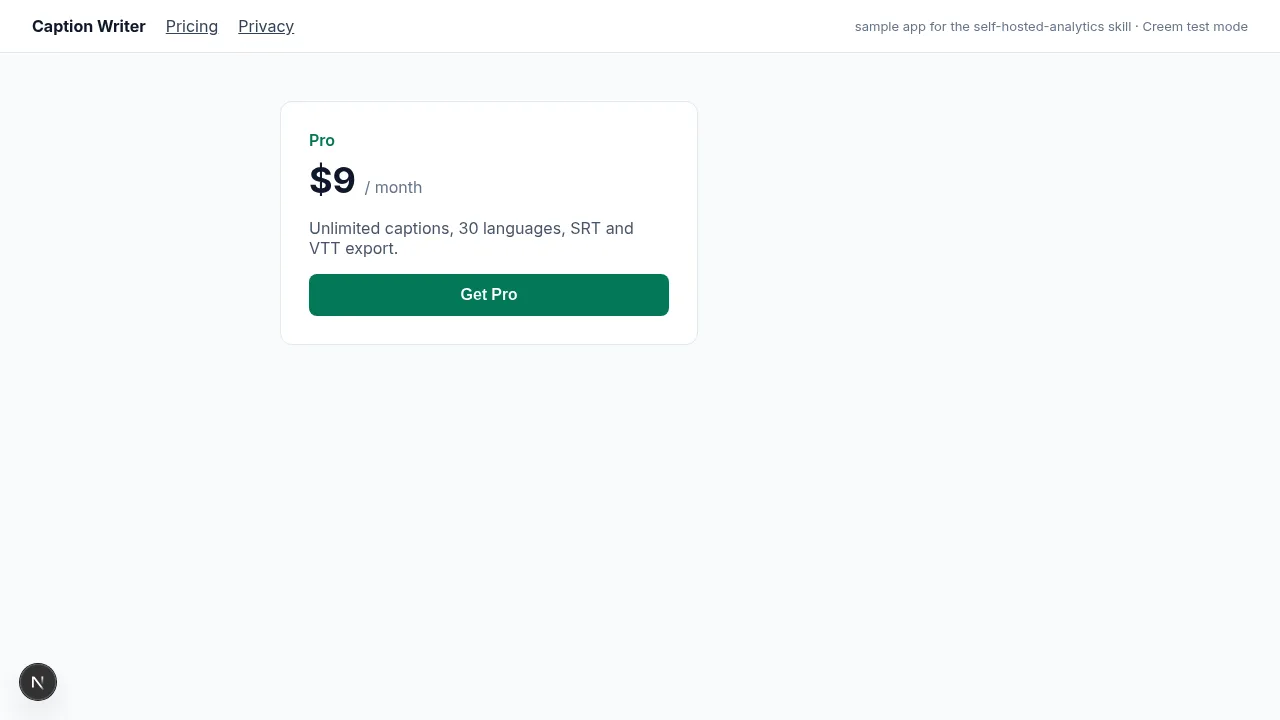
- 1A visitor opens the home page and the pricing page, then clicks Get Pro (the click is the checkout_start event)
- 2They pay $9 in the Creem test checkout with the test card (sped up 2.5x); Creem's webhook reaches the app through creem listen
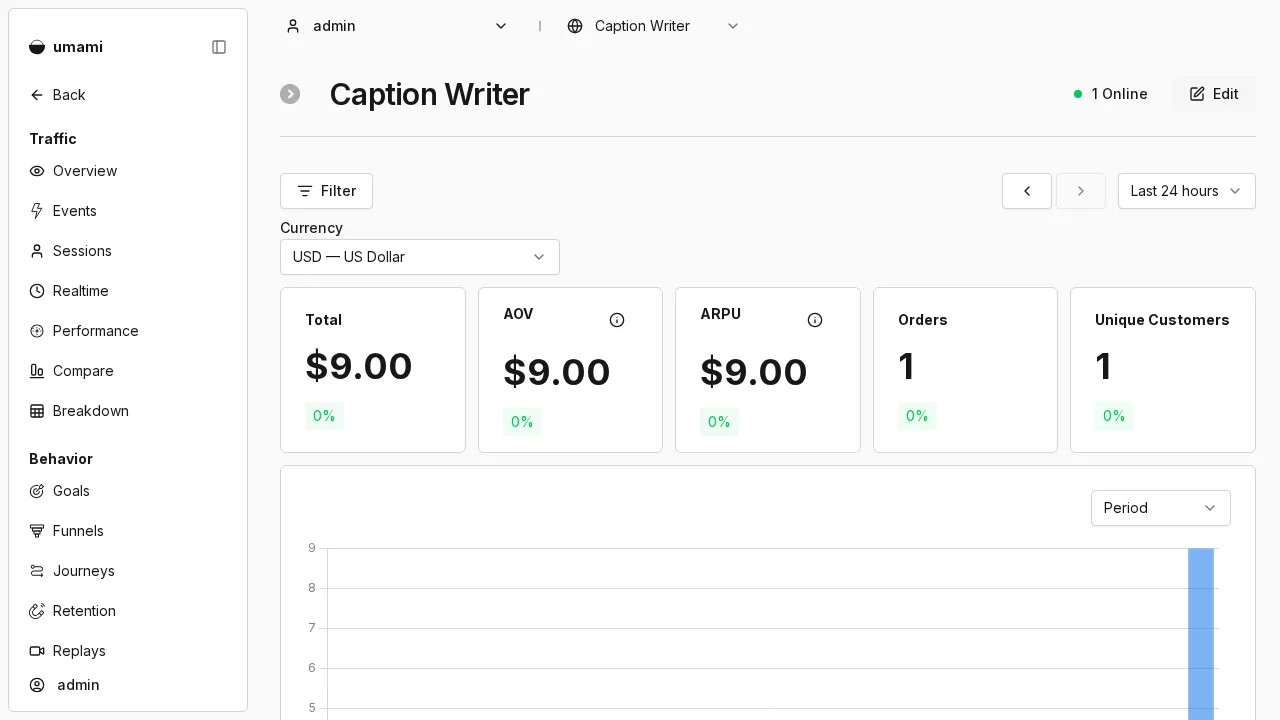
- 3Umami: 1 visitor, 3 pageviews; the events page lists checkout_start and purchase
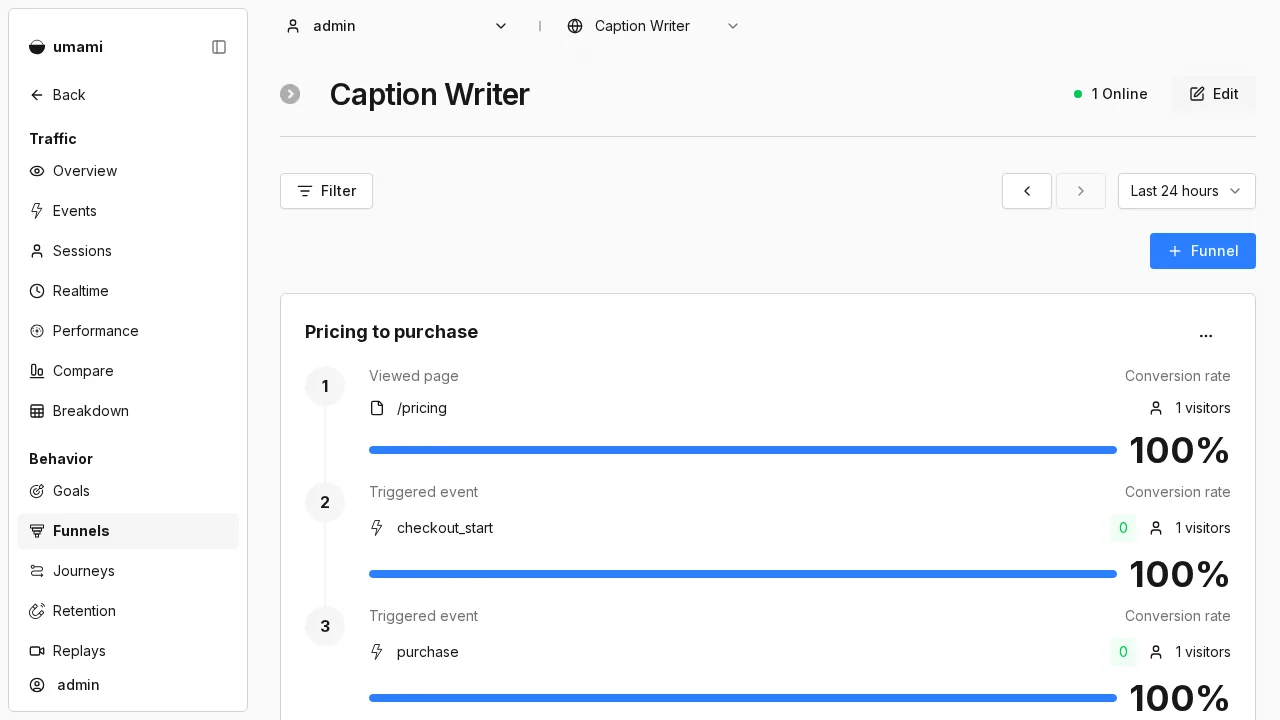
- 4Revenue: $9.00 from 1 order; the funnel /pricing, checkout_start, purchase is 100% at every step for that visitor
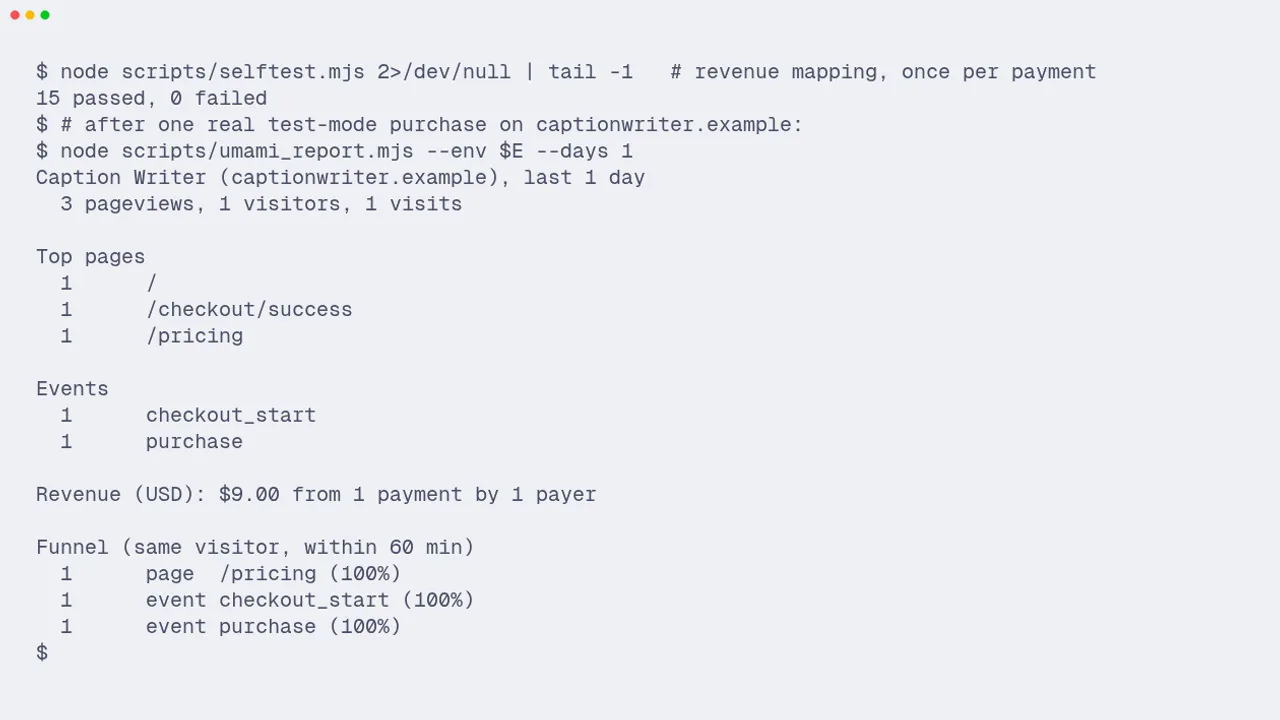
- 5Terminal: 15 tests pass, and umami_report.mjs prints the same traffic, revenue and funnel from the Umami API
Previews
What it does
Cookieless Umami on your own server, with each Creem purchase reported once from the webhook into the buyer's session, so a pricing-to-purchase funnel shows real conversion and revenue.
- Docker Compose services for Umami 3.4.1 and Postgres 16 with memory limits, healthchecks and no public ports, plus a Caddy vhost, a secret generator and a daily backup that is verified before it replaces anything
- The tracker is served as /stats.js and collects at /api/collect instead of the default paths that ad blockers list; data-domains keeps localhost and preview deploys out
- Each Creem transaction becomes one purchase or subscription_payment event with revenue, net of tax by default. It is claimed by transaction id, so a webhook retry never counts twice
- The buyer's IP and browser are kept for up to 24 hours from checkout and sent with the server event, so the purchase joins the visitor's session and the funnel reaches it; tested through Caddy
- Catches Umami's silent bot filter: a server or headless User-Agent gets a 200 and nothing stored, and the code treats that as a failure instead of a success
- Scripts: first-run setup that replaces the default admin password, a tracking checker, a text report of traffic, revenue and funnel, 15 offline tests plus a live session test, and privacy-policy text in English and Chinese
Use the self-hosted-analytics skill to add Umami to my Next.js app on my VPS at stats.myapp.com, and show Creem purchases in a pricing to purchase funnel.Full instructions are included with purchase
This is a paid skill. Buy it on its own or get every skill with a plan. Buyers download it from this page or their account.
Outline
- 01When to use / when not to
- 02What you get
- 03Steps
- 04Rules
- 05Done when
- 06Troubleshooting
What's inside
27 files: SKILL.md, 7 scripts, 7 references, 11 templates and assets, 1 tests.
- SKILL.md12.0 KB
assets/(11)27.8 KB
lib/(1)14.1 KB
- umami-core.mjs14.1 KB
nextjs/(6)9.1 KB
src/(5)8.7 KB
app/(1)1.5 KB
api/(1)1.5 KB
webhooks/(1)1.5 KB
creem/(1)1.5 KB
- route.ts1.5 KB
components/(1)937 B
- Analytics.tsx937 B
lib/(3)6.3 KB
- analytics-server.ts1.9 KB
- analytics.ts2.0 KB
- umami-core.d.mts2.4 KB
- .env.example415 B
server/(4)4.6 KB
- backup-umami.sh1.0 KB
- Caddyfile.umami476 B
- docker-compose.umami.yml2.3 KB
- init-umami-env.sh794 B
references/(7)22.3 KB
fixtures/(4)9.2 KB
- checkout.completed.json2.6 KB
- constructed.subscription.paid.renewal.json2.8 KB
- README.md1.1 KB
- subscription.paid.json2.8 KB
- operations.md5.6 KB
- privacy-text.md3.4 KB
- umami-api.md4.0 KB
scripts/(8)36.2 KB
template-check/(1)3.9 KB
- webhook.test.ts3.9 KB
- _cli.mjs2.6 KB
- check_nextjs_template.sh2.1 KB
- check_tracking.mjs6.1 KB
- selftest.mjs12.6 KB
- send_test_event.mjs1.2 KB
- setup_umami.mjs2.9 KB
- umami_report.mjs4.6 KB
Questions
What does Self-hosted analytics do?
Cookieless Umami on your own server, with each Creem purchase reported once from the webhook into the buyer's session, so a pricing-to-purchase funnel shows real conversion and revenue.
Which agents does it work with?
Claude Code, Codex, Cursor and any other agent that reads the Agent Skills format (a folder with SKILL.md). Paste the install prompt into your agent, or unzip the folder into its skills directory.
What is in the download?
27 files: SKILL.md, 7 scripts, 7 references, 11 templates and assets, 1 tests.
How much is it?
$6.99 one-time on its own, with 12 months of updates. Yearly and lifetime plans include every paid skill.
Can I get a refund?
A first payment can be refunded in full within 14 days if no paid skill was downloaded. After a download, no refund unless a skill is defective and we can't fix it.
How do updates work?
One-time purchases get 12 months of updates; yearly and lifetime get updates while active. Download again from this page or your account. Current version: 1.0.0.