上线演示视频
launch-demo-video用 Playwright 按脚本录下你真实应用的操作过程,带字幕、光标,隐私字段自动模糊,再按 YouTube、X、落地页和 Product Hunt 的要求编码并逐项检查。
完整说明(英文)
Records a real launch demo of your running web app and exports it for each place it goes. A JSON storyboard drives Chromium through the actual flow (Playwright) with a visible pointer, captions, highlights, blurred personal data and analytics blocked. Speed-up and cut marks are applied with ffmpeg, title and end cards are added, and the result is exported as a YouTube upload (also the Product Hunt video), an X post (720p, constant 5 Mbps, landscape, square or portrait), a muted landing-page MP4 and WebM with a poster, Product Hunt gallery stills and a GIF under 3 MB, plus an SRT file. A checker compares every file with the platforms' published limits and fails on blank stretches. Ships 13 offline tests and an end-to-end run on a bundled sample site. Use when the user wants a product demo video, a launch or Product Hunt video, an X/Twitter demo clip, a hero video for the landing page, or gallery screenshots.
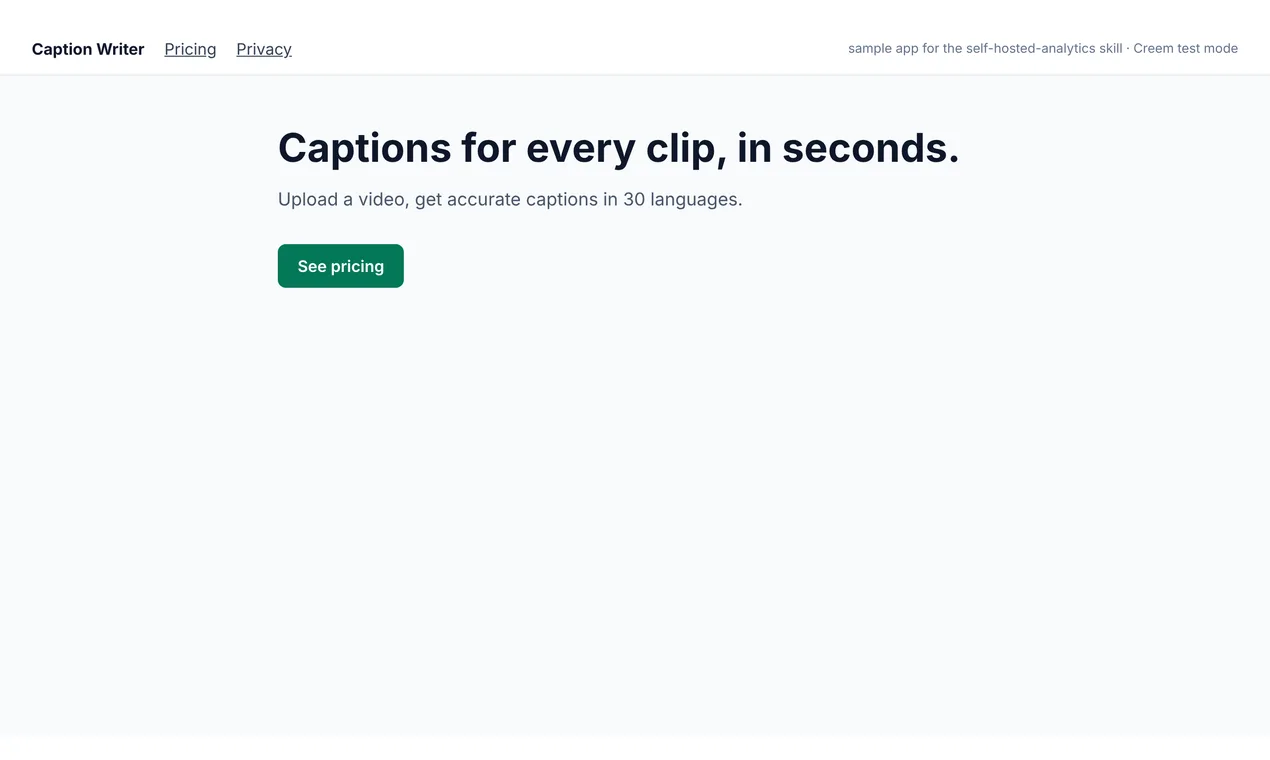
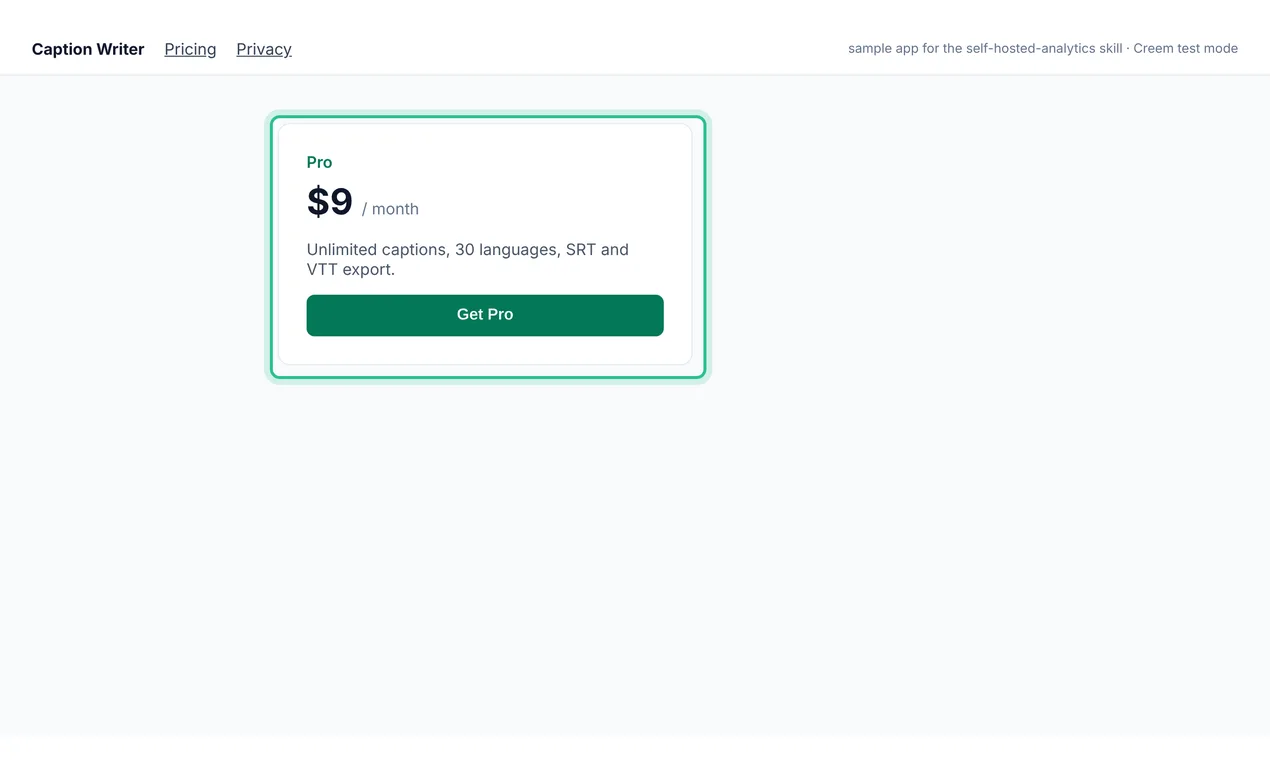
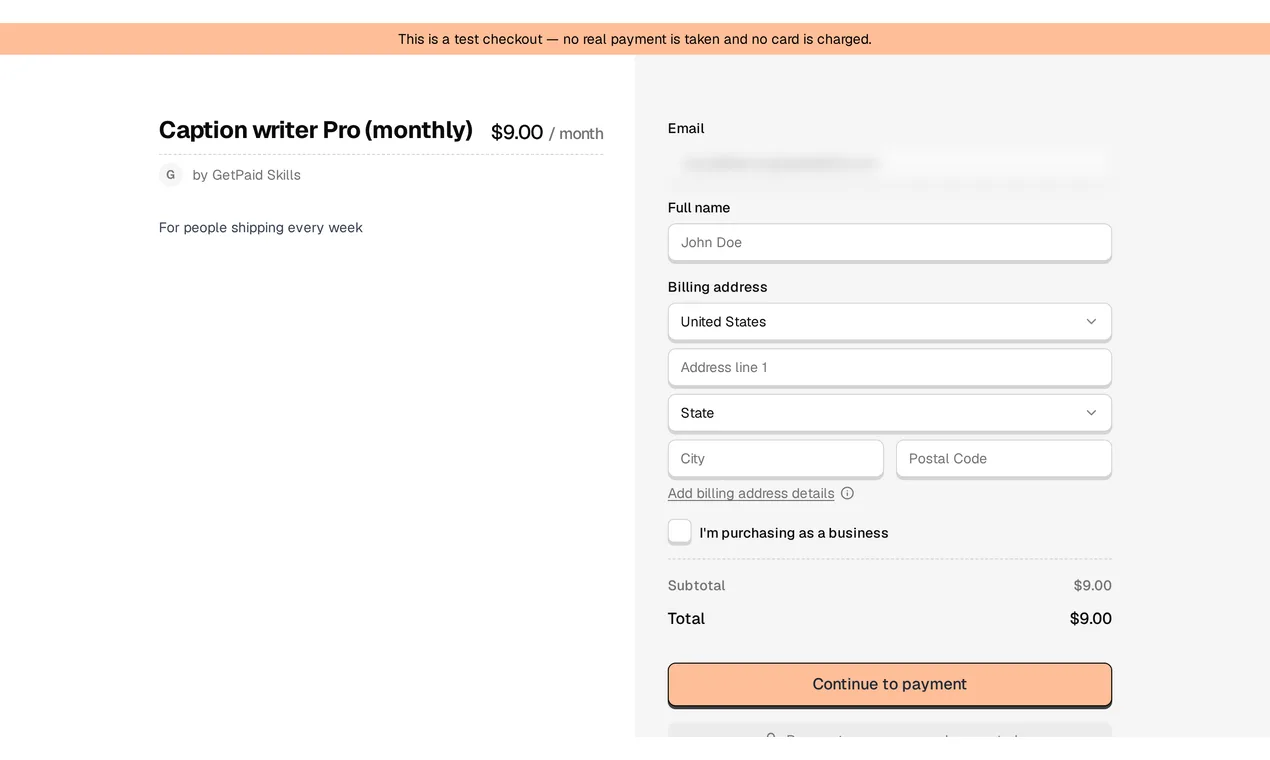
在一个 Next.js 示例应用(Caption Writer)上的真实运行,Creem 测试模式。终端里的等待已剪掉;第二段就是这次运行生成的 youtube.mp4。 · 录制于 2026-11-03
- 1selftest.mjs:13 个测试通过,包括一次真实 ffmpeg 编码和一次开头空白的失败用例
- 2record_tour.mjs 按 storyboard 操作:15 步、3 条字幕、3 张截图,拦下 3 个统计请求
- 3依次是首页、定价页、点 Get Pro、Creem 测试收银台;邮箱被模糊,收银台的加载时间被剪掉
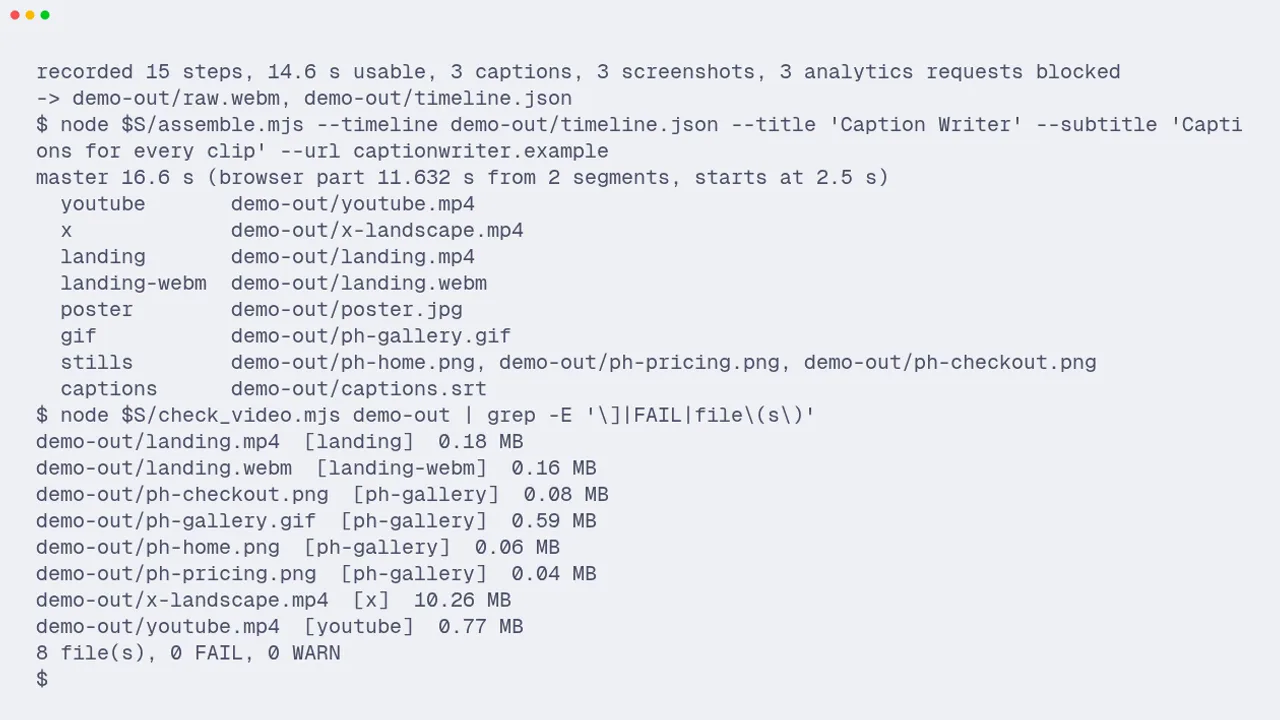
- 4assemble.mjs 加上片头和片尾卡,输出 16.6 秒母版和 YouTube、X、落地页、封面、动图和截图文件
- 5check_video.mjs:8 个文件,0 FAIL,0 WARN
预览
它能做什么
用 Playwright 按脚本录下你真实应用的操作过程,带字幕、光标,隐私字段自动模糊,再按 YouTube、X、落地页和 Product Hunt 的要求编码并逐项检查。
- 用一个 storyboard JSON 写好整段操作:打开页面、点击、输入、滚动、高亮、字幕、截图、等待、剪掉和继续。录制前先校验,看起来像密钥的值会被拒绝
- 画出可见的鼠标和点击波纹、字幕条和高亮框;邮箱等字段自动模糊,开发角标可隐藏,统计请求会被拦下,录制不会算成一次访问
- 用同步帧对齐浏览器时间线和视频,剪辑点和字幕都落在正确的帧上;SRT 字幕和成片一致
- 一份母版生成 youtube.mp4(H.264 High、闭合 GOP、faststart)、x-landscape.mp4(按 X 建议的 5 Mbps 恒定码率)、无音轨的落地页 mp4 和 webm、封面图、3 MB 以内的 Product Hunt 动图和 1270x760 截图
- check_video.mjs 用 ffprobe 和 MP4 结构读取每个文件,按它对应平台的规则检查,并找出黑屏、白屏和画面卡住的片段;有任何 FAIL 就以 1 退出
- 附 X、YouTube、Product Hunt 官方文档整理的平台规格(2026-11-03 查阅)、镜头清单和诚实原则、带端到端测试的示例站点,以及 13 个离线测试
用 launch-demo-video 技能给我 localhost:3000 上的应用录一段 30 秒的演示:首页、定价页、再到 Creem 测试收银台,带字幕,并生成 YouTube、X 和 Product Hunt 用的文件。购买后可查看完整说明
这是付费技能,可单独购买,也可通过套餐获得全部技能。购买后可在本页或账户页下载。
目录
- 01When to use / when not to
- 02What you get
- 03Steps
- 04Rules
- 05Done when
- 06Troubleshooting
里面有什么
19 个文件:SKILL.md、7 个脚本、3 份参考资料、8 个模板和资源文件。
- SKILL.md7.6 KB
assets/(8)7.1 KB
cards/(1)775 B
- card.html775 B
sample-site/(5)4.7 KB
- app.html920 B
- index.html893 B
- pricing.html1019 B
- signup.html765 B
- style.css1.2 KB
- storyboard.example.json1.1 KB
- terminal.tape.example589 B
references/(3)10.1 KB
- platform-specs.md4.2 KB
- shot-list.md2.1 KB
- storyboard.md3.8 KB
scripts/(7)58.2 KB
- assemble.mjs10.1 KB
- check_video.mjs4.1 KB
- e2e_sample.sh1.6 KB
- record_tour.mjs13.8 KB
- selftest.mjs10.0 KB
- serve_static.mjs988 B
- video-core.mjs17.6 KB
常见问题
上线演示视频 是做什么的?
用 Playwright 按脚本录下你真实应用的操作过程,带字幕、光标,隐私字段自动模糊,再按 YouTube、X、落地页和 Product Hunt 的要求编码并逐项检查。
支持哪些 AI 工具?
Claude Code、Codex、Cursor,以及其他支持 Agent Skills 格式(带 SKILL.md 的文件夹)的工具。把安装提示词贴给 AI,或者把文件夹解压到它的技能目录即可。
下载包里有什么?
19 个文件:SKILL.md、7 个脚本、3 份参考资料、8 个模板和资源文件。
多少钱?
单独购买 US$6.99,一次性付款,含 12 个月更新。年付和终身版包含所有付费技能。
可以退款吗?
首次付款 14 天内、且没有下载任何付费技能的,可以全额退款。下载之后不退款,除非技能有缺陷且我们无法修复。
怎么获取更新?
一次性购买含 12 个月更新;年付和终身版在有效期内持续更新。在本页或账户页重新下载即可。当前版本:1.0.0。